
At the printer
How to Print FPP Patterns at Actual Size
Print foundation paper piecing templates at 100% scale. Check the calibration square, understand mirrored foundations, and assemble tiled sections without shrinking the block.
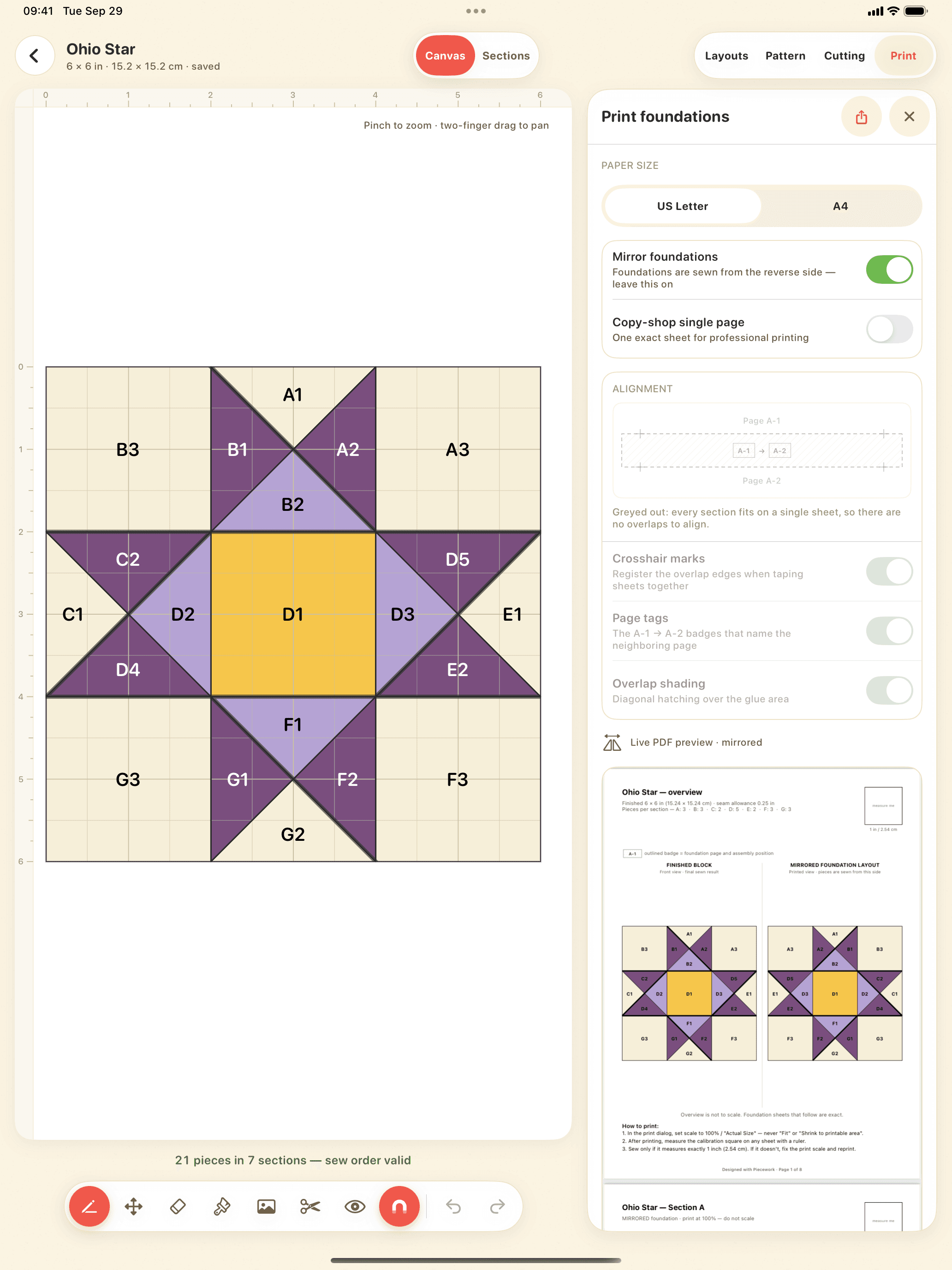
Print FPP foundations at 100% or Actual Size, with the paper size specified by the PDF. Turn off options such as Fit or Shrink, then measure the pattern's test square before cutting fabric. A PDF that looks correct on screen can still be scaled by the print dialog.
The steps below apply to foundation paper piecing templates. Follow a purchased pattern's own instructions where they differ, especially for mirroring and assembling oversized sections.
1. Match the PDF and printer paper sizes
Choose US Letter or A4 when exporting from Piecework, then load that same paper size in the printer and select it in the print dialog. Letter is 8½ × 11 in; A4 is 210 × 297 mm. Substituting one for the other can trigger automatic scaling.
Open the original PDF in a PDF viewer. Printing a screenshot or an image pasted into a document adds another opportunity for resizing. For a copy-shop PDF, ask the shop to print at 100% and measure the test square before accepting the full set.
2. Select 100% or Actual Size
In the print dialog, choose Actual Size or set the scale to 100%. Disable Fit to page, Shrink oversized pages, and multiple pages per sheet. Labels vary between viewers and printers; the important setting is to preserve the dimensions in the PDF.
If your current print interface does not expose a scale control, use a PDF viewer or computer print dialog that does. Make one test print first. A preview fitting neatly on the screen does not confirm that the output will have the correct physical dimensions.
3. Measure the calibration square in both directions
Piecework PDFs include a 1-inch calibration square. Measure both its width and height with a ruler: each must be 1 in (25.4 mm). For another designer's pattern, use that pattern's labeled test square or measurement.
If the square measures ⅞ in, the print is too small. Check scale, paper size, and fit settings, then reprint the test. If width and height differ, do not compensate with a single enlargement percentage; check the viewer and printer settings. Start sewing only after the test measurement is correct.
Do not expect every foundation's outer edge to equal the advertised finished size. Its outer boundary includes seam allowance, and a large foundation may span several sheets.
4. Check which side is mirrored
In FPP, the printed lines face you while the fabric sits on the other side of the paper. The printed foundation is therefore normally a mirror image of the finished design. This is easiest to notice with lettering, an asymmetric boat, or a subject facing one direction.
Piecework mirrors foundations by default. Compare the finished preview with the foundation view before exporting. If a downloaded pattern is already prepared for FPP, follow its instructions and avoid mirroring it a second time in the printer settings.
5. Assemble large sections without scaling them down
A large section may need several sheets of paper. Piecework tiles oversized sections and provides alignment marks and a paper assembly guide. Print every tile at 100%, arrange them using the guide, and align the matching marks and continued seam lines before securing the sheets.
Paper overlap is a way to assemble the template; it is not extra seam allowance. Keep the section's foundation outline and allowance distinct from the paper trim and overlap guides. Do not shrink a section to fit one page: that changes the block's finished size.
Before you cut fabric
- The exported PDF, print dialog, and loaded paper use the same paper size.
- Scale is 100% or Actual Size, with Fit and Shrink disabled.
- The test square measures correctly in both directions.
- The foundation orientation matches the pattern's mirroring instructions.
- All tiles are aligned, section labels are readable, and outer allowances are intact.
Need a different finished size? Change the source design or follow the FPP resizing guide before printing. Scaling a finished PDF also scales its seam allowance.