
Design your first block
How to Design Your Own Foundation Paper Piecing Patterns
Turn a simple idea into an original FPP block. Learn how to draw straight seams, plan sewable sections, number pieces, and prepare foundations on iPad.
To design a foundation paper piecing pattern, simplify your subject into shapes with straight edges, divide the drawing into sewable sections, and give each section a valid piecing order. Add the seam allowance around each section, then print mirrored foundations at the intended size.
In foundation paper piecing (FPP), you sew fabric to a numbered paper foundation. This differs from English paper piecing, where fabric is wrapped around individual paper shapes. This guide covers designing FPP foundations, with an iPad workflow in Piecework.
1. Choose a subject you can simplify
For a first original block, choose something recognizable with few major shapes: a mountain, a house, or a sailboat. Decide which edges make it recognizable before adding details. A roof outline may matter more than every window; a sail silhouette may matter more than ropes.
FPP seams are straight. Represent a curved outline with a few intentional angles. Very narrow slivers and many tiny pieces can make the block harder to piece, even when its geometry is valid. Choose a finished size that leaves comfortable room for the smallest important detail.
If you work from a reference photo, use one you own or have permission to use. In Piecework, open Photo, choose your image, and lower its opacity. Draw the straight seam lines yourself over the main shapes; the app does not automatically convert a photo into a pattern.
2. Draw the seams, then inspect the shapes
Set the block's finished size before judging the detail. Start with the few seams that establish the subject, then add smaller divisions. In Piecework, draw with Apple Pencil; seams extend to the lines they meet. Review where the completed seams divide the block, since an extension can create a piece you did not initially expect.
Color the main areas to check the silhouette. Hide seams and numbers in Preview to see whether the subject still reads clearly. If it needs explanation, simplify or adjust the outline before adding more pieces.
3. Check sections and sew order together
A good-looking drawing is only the start. Within a section, each new fabric piece must attach to the pieces already sewn across one straight seam. Imagine folding the new fabric back over that seam: it must cover the intended next piece without requiring you to stitch across the earlier pieces.
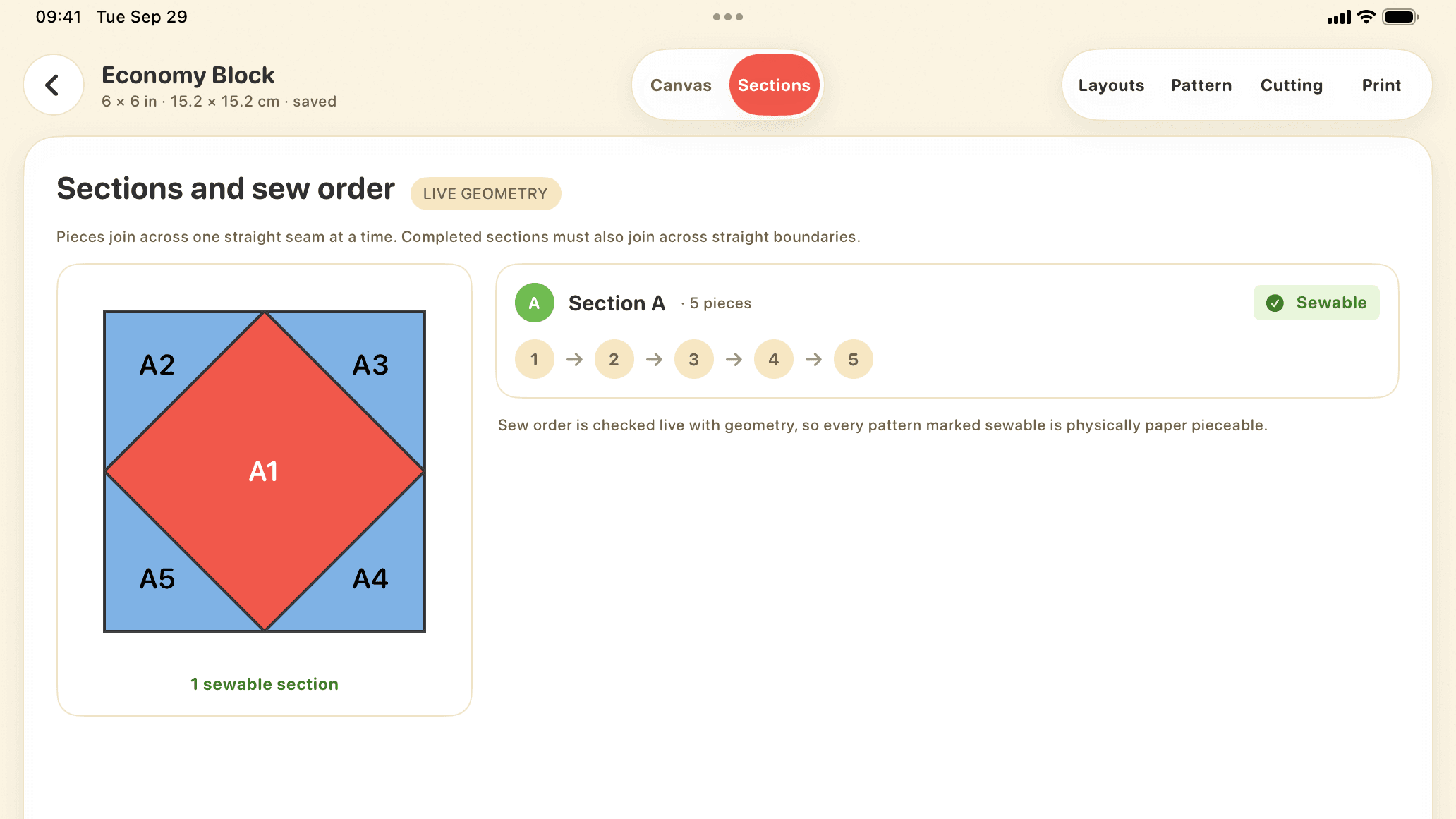
For a simple Economy Block, begin with the center as A1, then add its surrounding triangles in sequence. A more complex drawing may need several sections that are pieced separately and then joined. Plan those joins along straight seams too. If an area cannot be added in order, try a different seam extension or split it into another section.
Piecework checks the layout as you draw and labels the pieces in sew order. Review Sections and compare alternatives in Layouts. A pending or failed layout needs attention before printing. Geometry validation checks the seam sequence; it cannot decide whether a tiny fabric piece will be pleasant to handle.
4. Add section allowances and print at actual size
The finished-size outline marks the seam line of the block. A section also needs an outer seam allowance for joining it to its neighbors. In Piecework, choose ¼ in, 6 mm, or a custom allowance; the allowance stays at that measurement when you resize the source design.
Review the mirrored foundation view before exporting. Fabric is sewn on the reverse of the printed paper, so the foundation normally looks reversed compared with the finished block. See the actual-size printing guide for paper size, tiling, mirroring, and the calibration-square check.
5. Sew a test block before sharing the pattern
Print a test, measure its calibration square, and sew the block in the numbered order. Check whether you can position the fabric comfortably, whether section joins align, and whether the smallest pieces keep their shape after pressing.
Keep notes on awkward steps and revise the source design. Before sharing a PDF, include the finished size, chosen seam allowance, a finished-view reference, section labels, and any assembly instructions the design needs. A real sewn test checks practical details that a screen preview cannot show.